

Common Scenarios - Tasks Due Soon and Overdue
This is probably the most common use of SharePoint Reminder.
The team controls its work by using a SharePoint Task List. Tasks are assigned to a staff member for completion and have a due date.
2 SharePoint Reminder's will be setup, the first to remind the staff member assigned to complete the task when it is due within the next 3 days. The second will warn the staff member and CC the team leader when a task becomes overdue.
 |
Create a new page for the Reminder Web Parts
|
 |
|
|
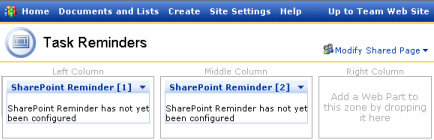
Add 2 Reminder Web parts to the page |
|
|
|
||
|
|
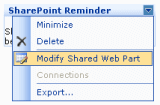
Select the first web part and "Modify Shared Web Part",
configure the web part as shown.
|
|
|
|
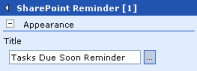
Expand the Appearance section and set the Title of the web part for future reference |
 |
|
|
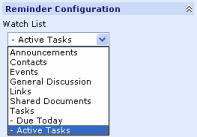
Set the Watch List to Tasks - Active
Tasks Every Task list has an Active Tasks view. This view doesn't list any Task that has been marked as complete. We chose this view as we don't want to be reminded about Tasks that area already complete.
|
 |
|
|
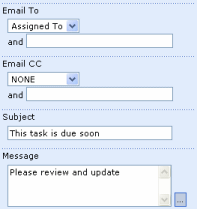
Set Email To to Assigned To This will send emails to the person who has been Assigned To complete the Task. Put in an appropriate Subject and Message for the email. If your message is large then use the Builder button (...) to open up a separate dialog box to enter your message.
|
 |
|
|
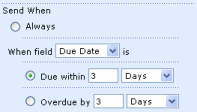
Choose Due Date and Due Within 3 Days This will send out an email when a Tasks is due within 3 days.
|
 |
|
|
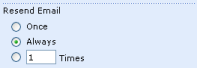
Choose to Always resend the email. We want SharePoint Reminder to continue to send emails |
 |
|
|
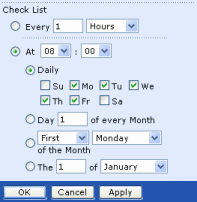
Choose to check the list At 8:00 am every weekday. |
 |
|
|
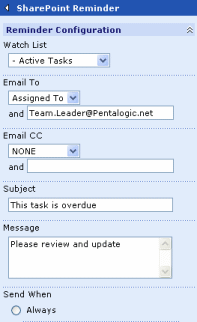
Select the second web part and configure the web
part as shown. Change the Title to "Tasks Overdue Reminder" Select the same list - Tasks - Active Tasks Select Email To - Assigned To In the Email CC enter Team.Leader Enter a Subject and Message
|
 |
|
|
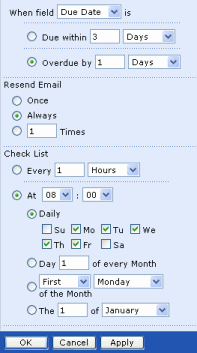
Send When Due Date is Overdue by 1 Day Resend email Always Check list At 8:00 am every weekday |
 |
|
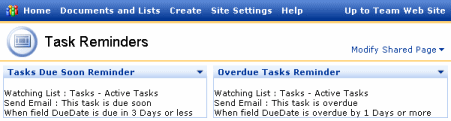
The web parts show a summary of their configuration
|
|
|
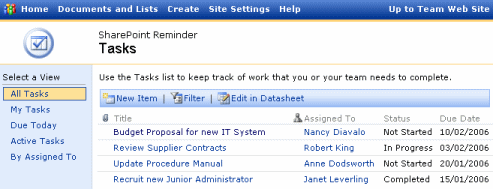
In our example we have the following items in our Task List.
The current date is the Wednesday 1st February, 2006. SharePoint Reminder will run at 8:00 am in the morning and will send the following emails.
|
|